A contact is anyone — or anything — you have exchanged mail with. You never add one: every message makes a contact of every address it touches. So the contact list is not an address book you maintain; it is a view of your mailbox, arranged by who is in it.
Open Go → Contacts (g p), or click a name on any message.
What a contact card shows
Everything on the card is worked out from your mail when you open it, never stored as a separate count, so it cannot disagree with the mailbox. Mail in Trash and Spam is not counted, just as a query leaves it out.
- Who they are — name, organisation, and what kind of sender they are.
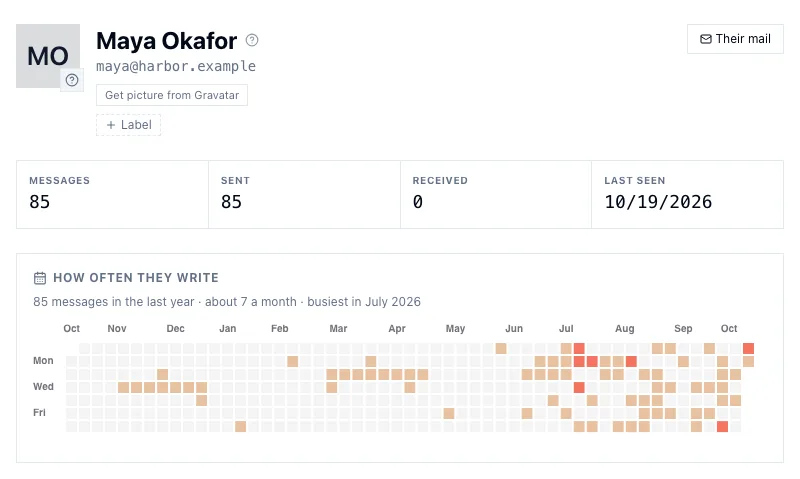
- How much — messages, how many each way, first and last seen.
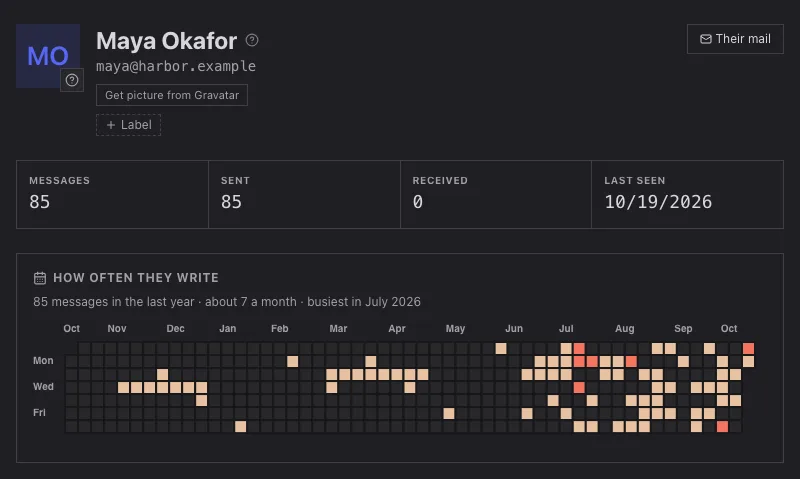
- How often they write — their mail over the last twelve months, one square a day, warmer in colour on busier days, with a line above it in words: how many in the year, about how many a month, and their busiest month. Click a day to see what they sent that day.
- Turnaround — the median time you take to reply to them, and they to you.
- Addressing role — how often you put them in To rather than Cc, which says whether they are someone you write to or someone you keep informed.
- When their mail arrives — a 24-hour histogram.
- Open loops — below.
- Files — what they sent you, or everything on any message they were on.
- Notes — your own, private, in Markdown.
Pictures
A contact shows their initials until you ask for a picture. Get picture from Gravatar on the card asks Gravatar once, for that one address, and keeps the picture in your mailbox; from then on it is loaded from InboxQL, never from Gravatar. If Gravatar has none, the card says so and remembers that you asked. Refresh asks again and Remove deletes the stored picture.
There is deliberately no “get pictures for everyone”. Each lookup tells Gravatar that address is in your mail, so it is one deliberate click per person.
People and systems
A mailbox is mostly not people. Receipts, notifications, newsletters and alerts come from addresses nobody types at, and a contact list that mixes them with your colleagues is hard to use. Each contact has a kind: person, organization, system or unknown.
Sorting them takes two passes:
iql contact classify                 # the free pass: headers and addressing
iql contact classify --model laya    # then Laya, for what the first pass left
The first pass reads what is already in the mail — mailing-list headers,
noreply addresses, bulk-mail markers — and settles most contacts for
nothing. The second asks the Laya model about each sender still unknown,
reading their last few subject lines, and writes a kind only where the answer
is clear. Add --dry-run to either to see what would change.
When it is wrong, fix it on the card: choosing a kind there records it as
yours, and your choice outranks every automatic one. The rail’s People,
Systems and Unclassified entries are queries over this field —
in:contacts kind:person and so on.
Labels and notes
Give a contact any labels you like — client, vip, family — on the card,
or:
iql contact label alice@example.com client
iql contact unlabel alice@example.com client
iql contact note alice@example.com "Prefers a call for anything urgent."
Then they are query terms: in:contacts label:client. (Older versions called
these tags; tag: still works.) Notes are searchable with notes: and
never leave this machine.
Open loops
The most useful part of a card is two short lists: Awaiting your reply and Awaiting their reply. Each is a conversation where somebody is waiting.
Whether someone is waiting is a judgement. “Thanks, sounds good!” closes a
conversation; “I’ll get back to you Monday” leaves the next move with you even
though you wrote last; most automated mail waits on nobody. So nothing is
guessed from who wrote last: the waiting element — your AI
harness reading the conversation — judges each one on me, on them or no
one, and only what it has judged is listed. The card says how many it left
out because nobody is waiting.
Rule on waiting where it is wrong — right-click its chip on the message — and
the lists follow your ruling.
Exactly, a conversation is waiting when its newest message outside Trash
and Spam is judged on me or on them. Someone is waiting on you when a
conversation waits on you and they wrote in it; you are waiting on them when a
conversation waits on them and they are in it. A reply makes the conversation
pending again, to be read afresh. unlabeled:waiting is what nobody has
judged yet.
The same definition answers queries, so the card and the rail always agree:
awaiting:me | timeline               conversations you owe a reply
awaiting:them | timeline             conversations waiting on someone else
in:contacts awaiting:me              people waiting on you
in:contacts awaiting:me -kind:system the same, without machines
in:contacts awaiting:them            people you are waiting on
in:contacts label:client awaiting:me
The rail’s Waiting on me is the people version without machines — a newsletter is not waiting on anyone — and Owe a reply is the conversation version. Add them from Settings → General → Rail entries if your rail does not have them.
Querying contacts
in:contacts makes a query about contacts rather than mail.
| Term | Matches |
|---|---|
kind: |
person organization system unknown |
label: |
a label you gave them (tag: is the old name) |
has: |
phone name org notes label awaiting |
notes: |
words in your notes |
awaiting: |
me or them |
messages> sent> |
how much mail, e.g. messages>10 |
email: name: org: phone: |
what is known about them |
in:contacts kind:person messages>20 | sort last desc
in:contacts | top domain 10
in:contacts kind:unknown messages>5
From a terminal, iql contact show <address> prints the card and
iql contact responsiveness <address> the turnaround and open loops.